Sign up for an event
What this is for
Concessions shifts, stocking sessions, outreach events and other jobs are posted on sign-up sheets. A sheet lists dates, and each date has places to fill, such as Student Stocker or Cashier. You take a place, and GatherPack keeps track of who's coming and counts it toward anything you owe, like concessions shifts.
Before you start
- Be logged in. New to GatherPack? See Log in for the first time.
- Know which date you can make. You can change or cancel later, until the event starts.
Steps
1. Find the sign-up sheets
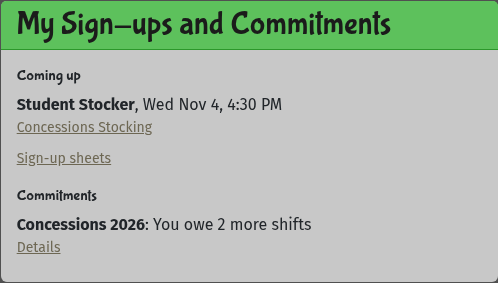
On your dashboard, the My Sign-ups and Commitments card shows what you're signed up for and what you still owe. Select Sign-up sheets in that card, or Sign-ups in the menu on the left.
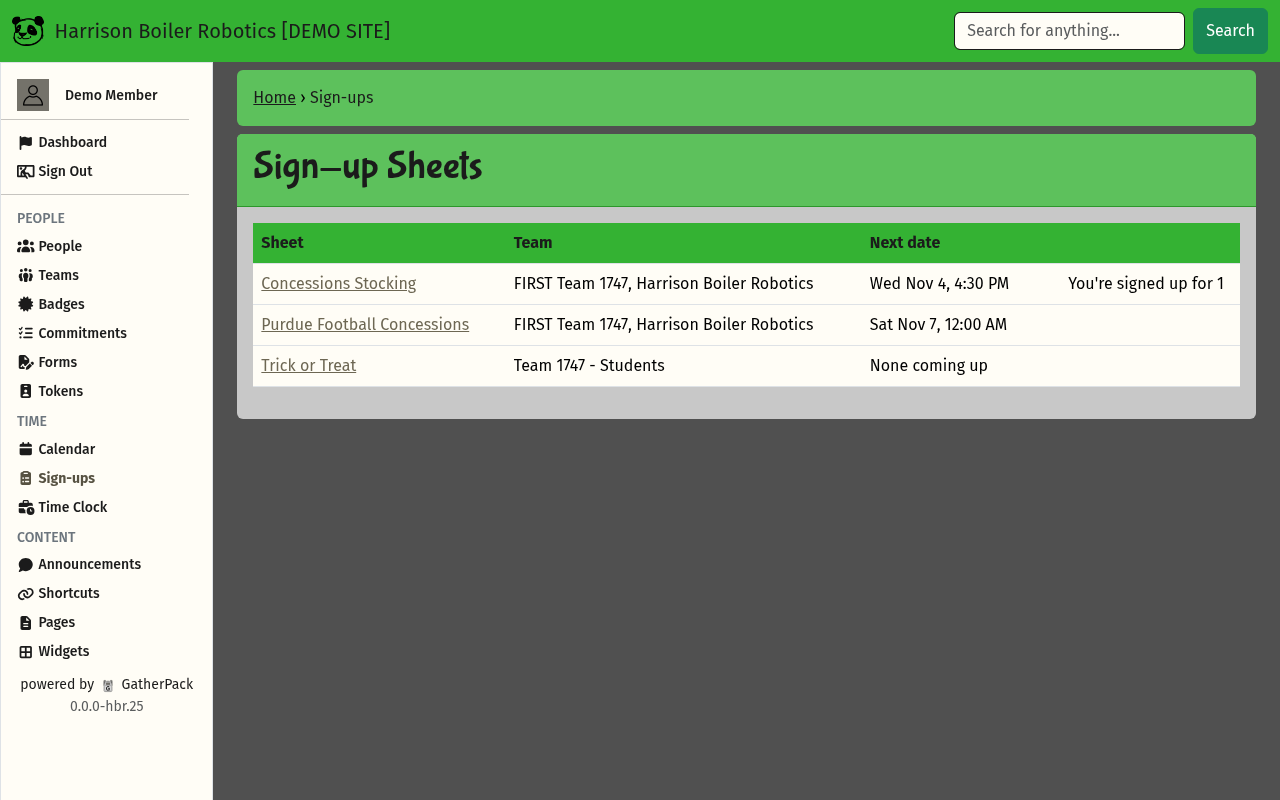
The Sign-up Sheets page lists the sheets open to you, with the next date on each. You're signed up for 1 means you already have a place on that sheet.
2. Open a sheet
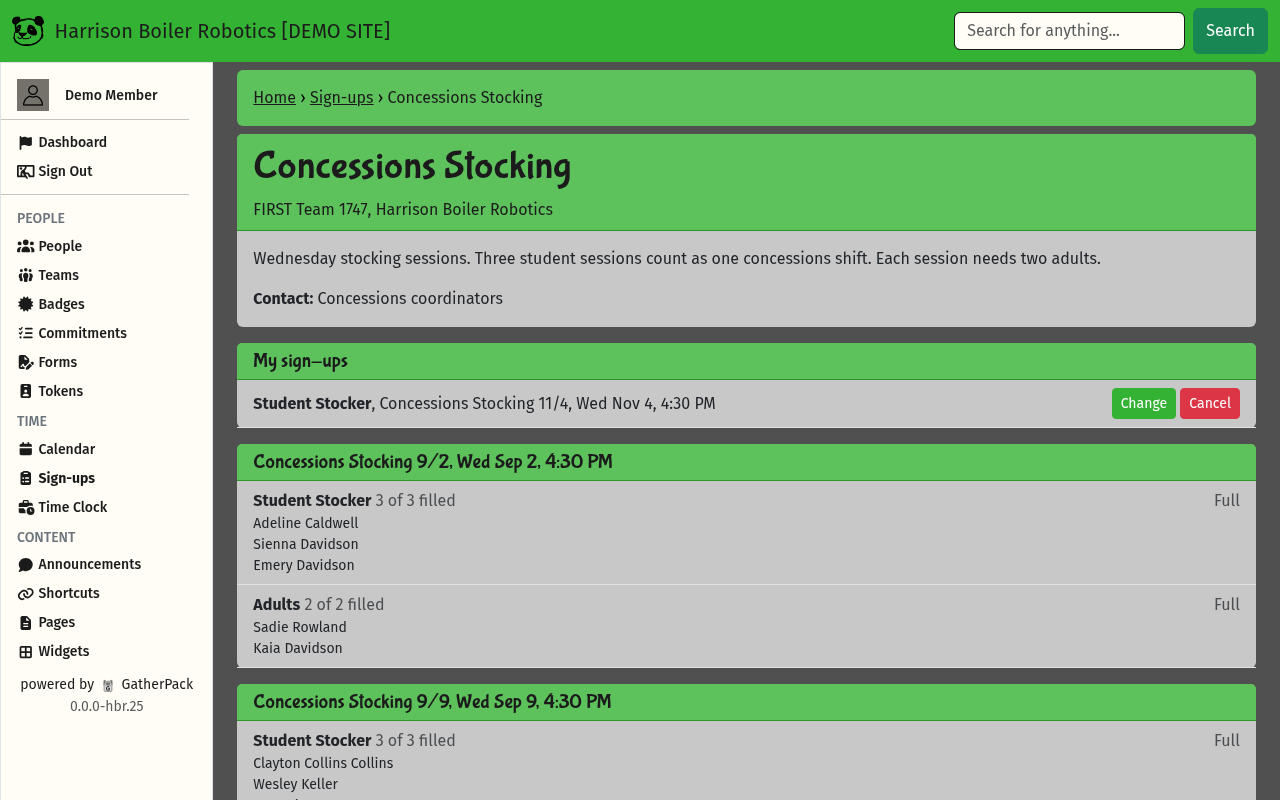
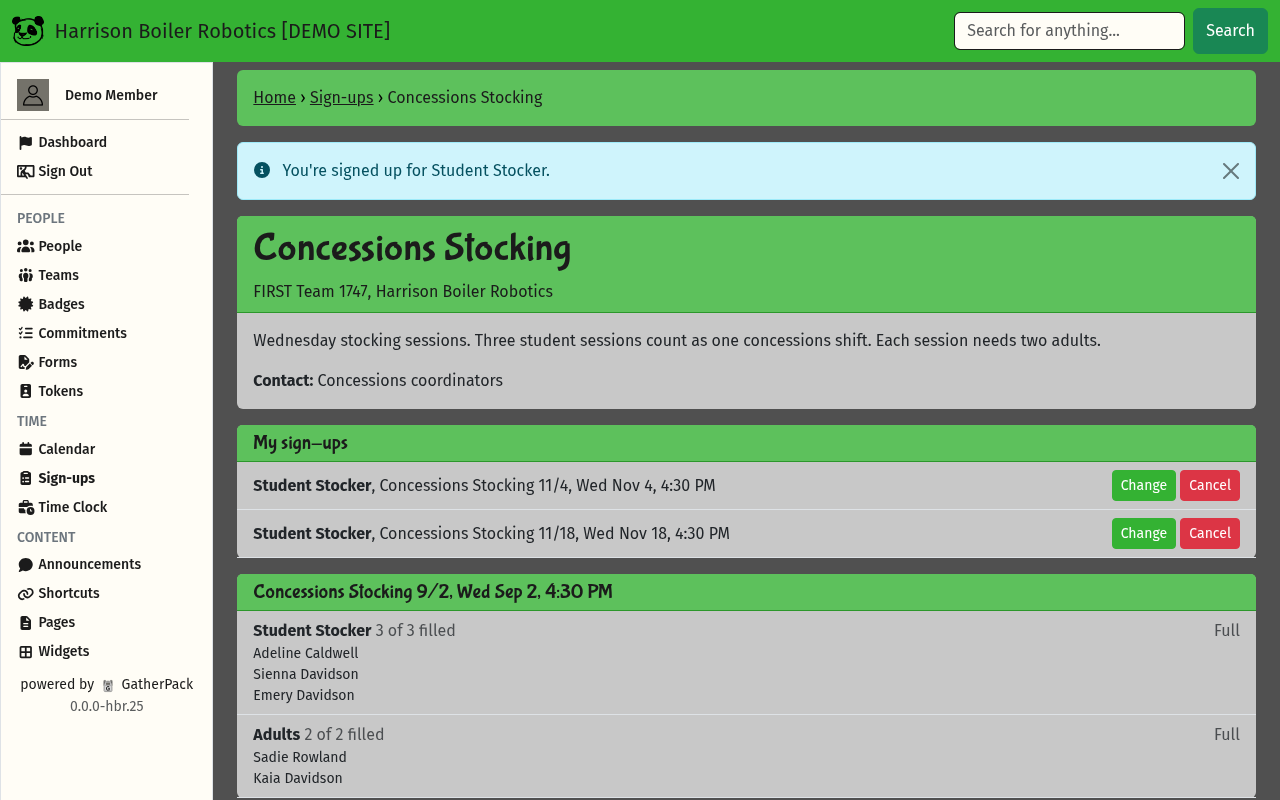
Select the sheet's name. The top of the sheet says what it's for and who to contact. If you're already signed up, your places are listed under My sign-ups.
3. Pick a date and a place
Scroll to the date you want. Each place shows how many are filled, and who has signed up.
- Sign up means you can take it.
- Full means every place is taken.
- Anything else is the reason you can't take it, such as Must be 18 or older on Nov 18 or Needs the Alcohol License badge.
Select Sign up next to the place you want.

4. Check the details and sign up
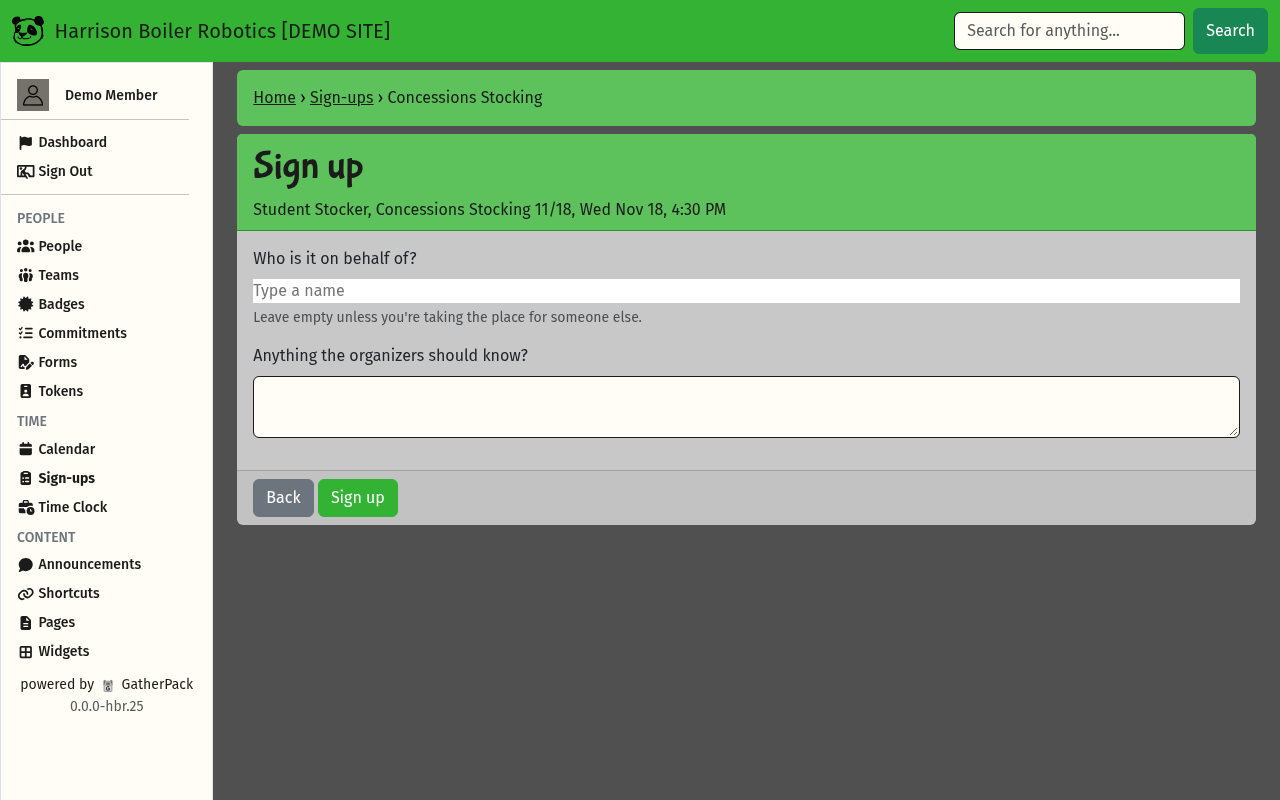
The Sign up page shows the place, the date and the time.
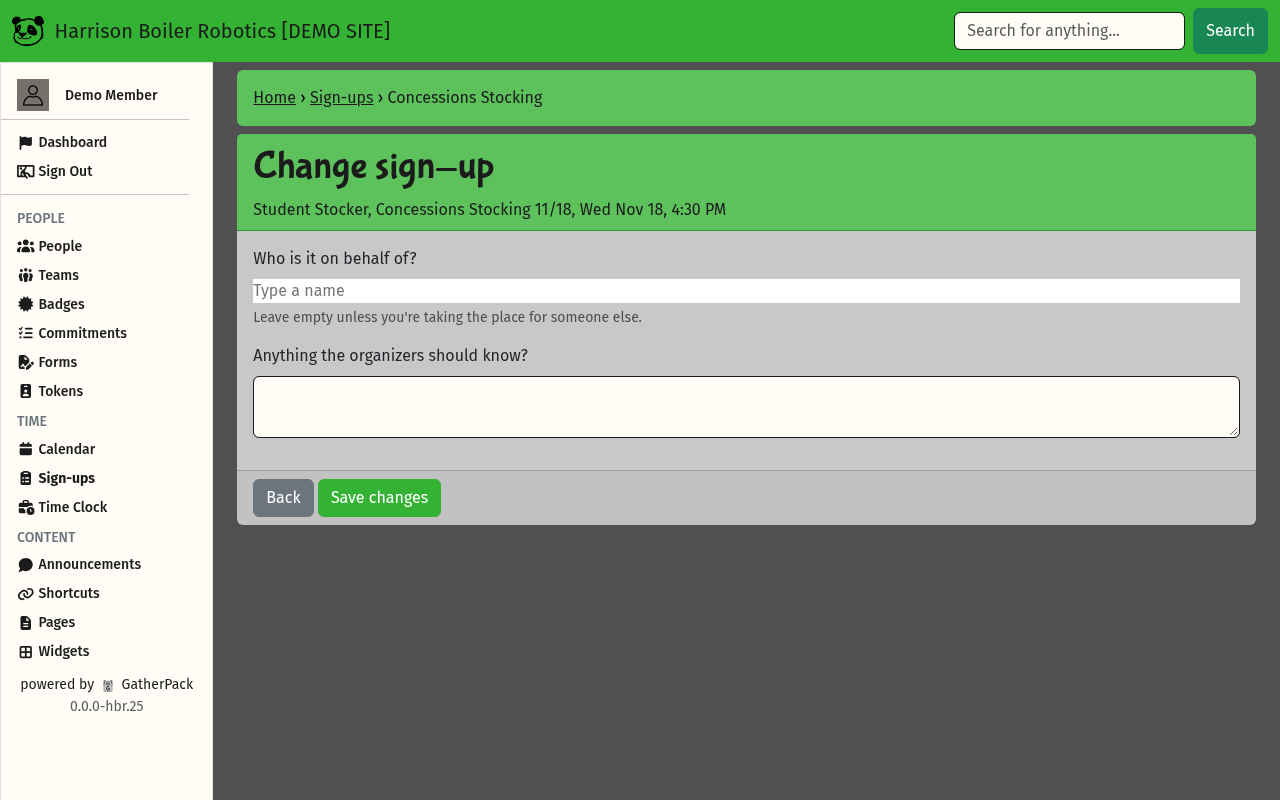
- Who is it on behalf of? Leave it empty if the place is for you. If you're working a shift to cover someone else, for example another student's concessions shift, type their name and pick them.
- Anything the organizers should know? Add a note if you need to, such as arriving late. You can leave it empty.
- Select Sign up.
Some places ask a question of their own, or ask how many you're bringing. Answer it before you sign up.
5. You're signed up
You're back on the sheet with this message at the top:
You're signed up for Student Stocker.
Your new place is listed under My sign-ups, and on your dashboard. GatherPack also emails you a confirmation now, and a reminder 2 days before the event.
Change or cancel a sign-up
Open the sheet. Under My sign-ups:
- Change lets you edit Who is it on behalf of? and your note. Select Save changes when you're done. To move to a different date, cancel and sign up again.
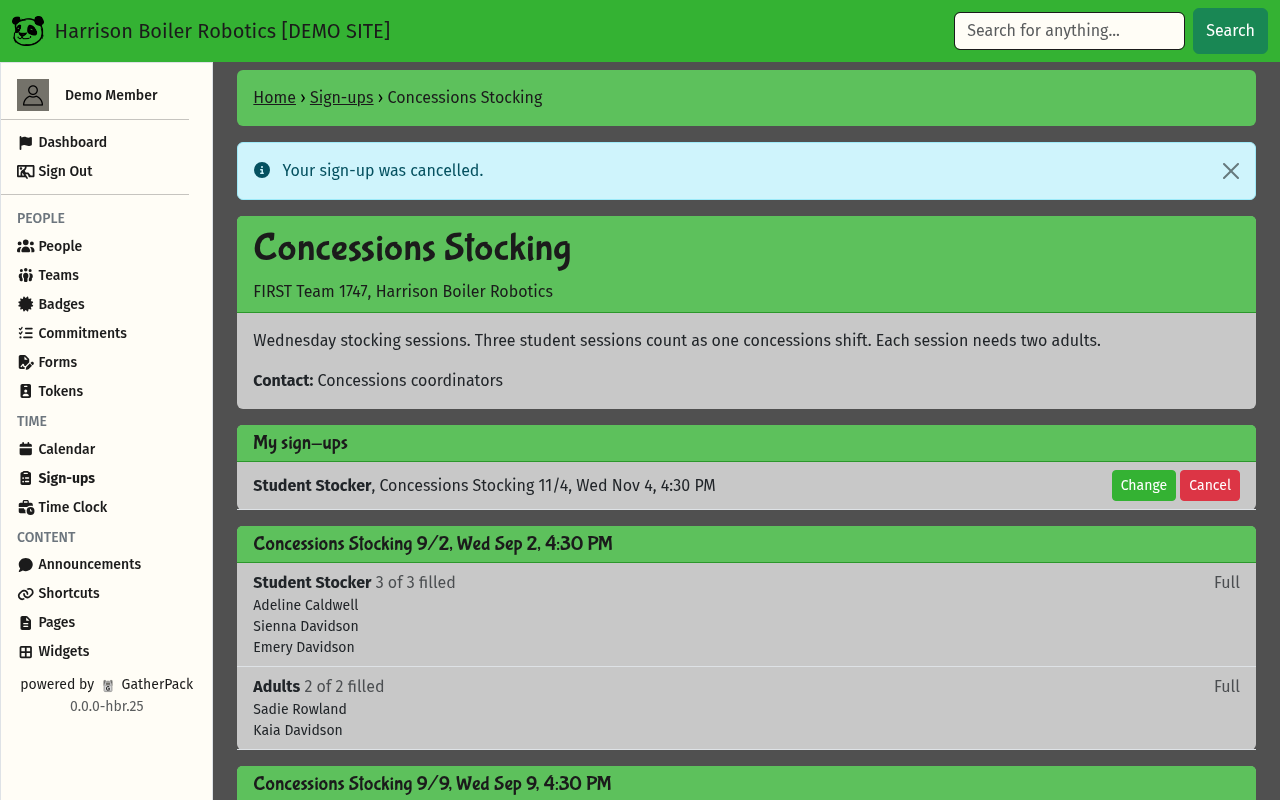
- Cancel gives up your place. Select OK when asked Cancel this sign-up? You'll see Your sign-up was cancelled., and the place leaves My sign-ups.
You can change or cancel until the event starts. (A sheet can set an earlier cutoff.) After that, the buttons are replaced by Ask an organizer to cancel: contact the person or group named on the sheet.
How sign-ups count toward commitments
Some sign-ups count toward a commitment, such as the concessions shifts each family owes. On your dashboard, the Commitments part of the card shows how many you still owe. Select Details to see each sign-up and the ways to earn credit.
On Details, a sign-up shows as (planned) until it's confirmed: you're checked in at the event, or an organizer marks it done. Some commitments count only confirmed sign-ups. Concessions 2026 is one of them, and its Details page says Only confirmed credit counts toward it. Others count planned sign-ups too.
Troubleshooting
I don't see the sheet I'm looking for
The Sign-up Sheets page only lists the sheets that are open to you. Ask the contact named on the sheet, or a mentor, whether it's open to you.
There's no Sign up button next to the place I want
The words in its place tell you why: it's Full, or you don't meet a rule (an age or a badge). If the top of the sheet says Sign-ups are closed., nobody can sign up on it right now. If you think a rule is wrong for you, ask the sheet's contact.
The page says “This slot is full” or “Only 1 place left”
Someone took the place while you were on the Sign up page. Go back to the sheet and pick another date or place.
The date says “time not set yet”
The organizers haven't set the time yet. Sign up as usual. When they set or change the time, everyone signed up gets an email.
I can't cancel, it says “Ask an organizer to cancel”
The event has started (or the sheet's earlier cutoff has passed), so you can't cancel yourself. Contact the person or group named on the sheet. If an organizer cancels or moves your sign-up, you get an email.
I worked a shift for someone else but it counted for me
The sign-up needed Who is it on behalf of? set to them. If Change is still there, select it, pick them, and Save changes. Otherwise, ask an organizer to fix it.